How to read edge blocks in Colony Flow
Start with colors the ants can reach at the edge. Before you pick a squad, look for an exposed patch that matches its color.
Verified on build 2026.09.28.019 (November 25, 2026)
On this page
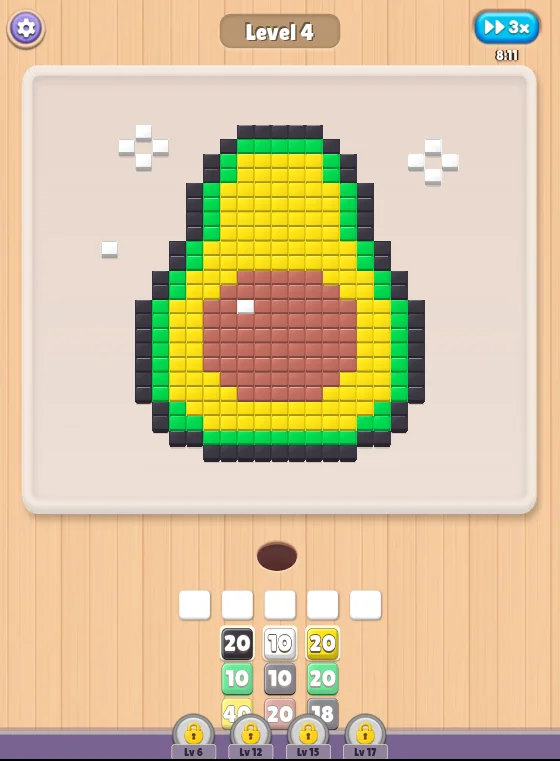
Which white blocks can you reach on the avocado?
- Look for white on the board before touching white 10. The sparkles have open space around them. The small white highlight in the pit sits behind the layers of the fruit.
- In the verified opening, send black 20, white 10 and yellow 20 from left to right. Watch the white ants work on the outer sparkles first.
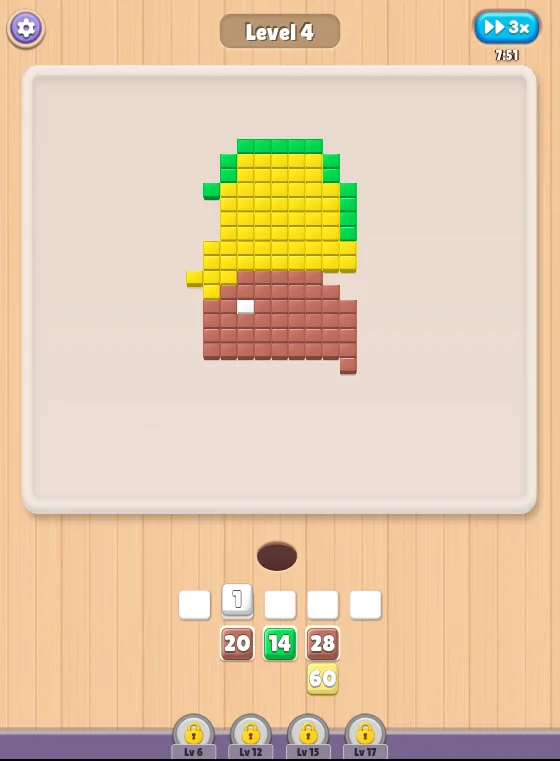
- On later moves, keep clearing the outline and the fruit layers. The highlight becomes reachable once the blocks around it are gone.
When the same color appears in several parts of a picture, locate the exposed patch first. A visible pixel can still be enclosed by other blocks.
What makes a color a good first pick?
A color on the outside of the picture gives its squad work right away, provided you can select its tile. Scan the whole outline for matches before you settle on the biggest visible patch. A large patch in the middle may be enclosed by other colors.
How do you spot the color that opens the board?
Look at what sits immediately behind each exposed patch. If yellow borders a large pocket of green, a yellow squad may make green reachable. If the green tile is available or a green squad is already active, that sequence gives you a useful second move.
When two edges are equally easy to clear, look for the one that exposes a color you can use next. Check the front row of the queue after the squad moves.
Why should you scan the edge after each move?
Every collection changes the outline. The edge can shift inward or break into smaller sections. Check any newly opened section for reachable colors before committing another squad. This matters most when space for active squads is tight.