Colony Flow Level 10: Yellow creature and orange heart
Start with the black squads to open the outline around the yellow creature and its orange heart.
Verified on build 2026.09.28.019 (November 25, 2026)
On this page
Does your board match?
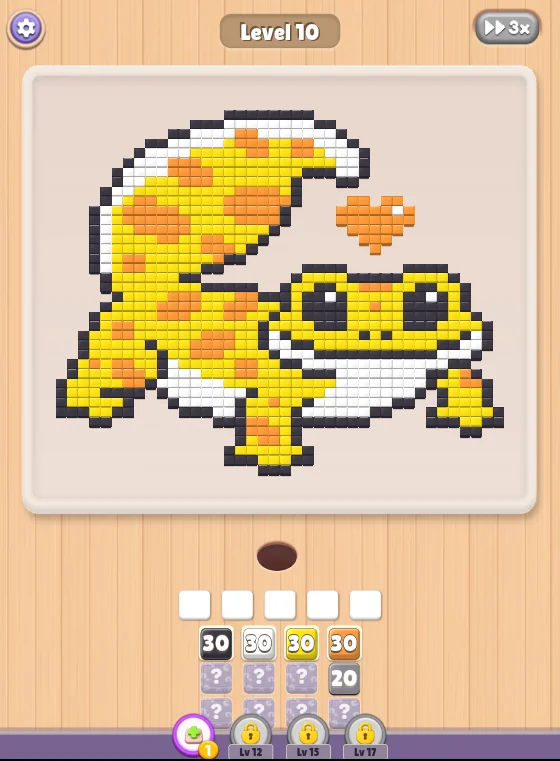
A large yellow figure has two black eyes and a detached orange heart. The four starting packs all read 30, in black, white, yellow and orange order.
Compare it with the starting screen for Level 10 before following this move order.
How do you clear Level 10?
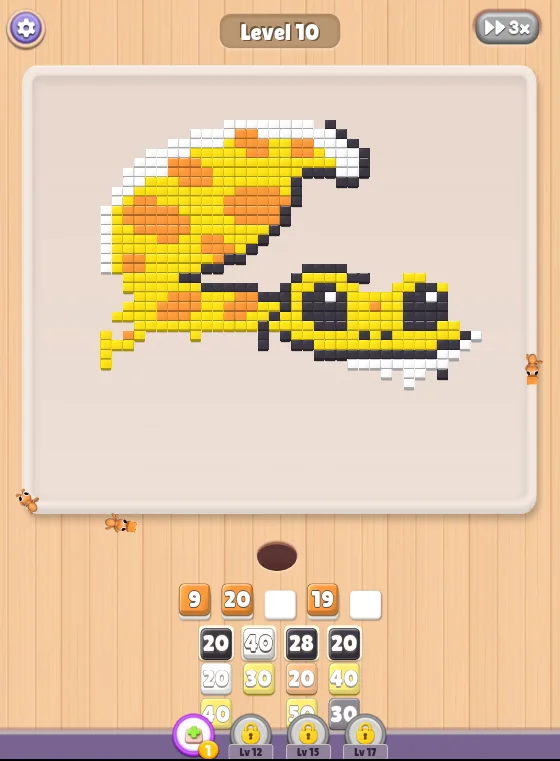
The heart was mostly gone in our run while orange squads still occupied three slots. The remaining orange is inside the broad yellow curve on the left. At that point black 28 and white 40 are the best use of the two holes in the active row in the tested order. Yellow 30 follows. When its column disappears, the black pack that was at far right shifts into the three-column row.
Verified move order
- Start with black 30, white 30, yellow 30 and orange 30 from left to right.
- When two spaces open, tap the revealed black 20 in columns two and three. Wait while those squads clear the lower part of the picture.
- With room for four, tap black 20 on the right, then yellow 20, orange 20 and white 20 from the first three columns.
- Send black 30, black 20 and two yellow 40 squads from left to right when four slots are free.
- Wait for four openings again. Send orange 20, orange 24, white 20 and orange 20 from left to right.
- When the orange squads are still waiting, send black 28 in column three and white 40 in column two to open more of the picture. Then send yellow 30 from column two. The queue narrows to three columns. Tap black 20 on the right, then black 20 on the left.
- When four spaces open, tap yellow 40 on the right, white 20 on the left and orange 20 in the middle. Then tap the yellow 50 that moves to the front in the middle.
- With two columns left, send black 30 on the right and yellow 40 on the left. When space opens, send white 16 on the right and orange 20 on the left.
- Tap yellow 17 from the left, then yellow 50 after it shifts into the center. Let the last ants clear the board.
Tap only the front tile of each column. Pause long enough for the tile to move into an active slot, and check whether the remaining columns have shifted.
What if your queue looks different?
If your three orange counters are still busy, use the exposed white border and black eye or outline blocks to identify the next two packs. The later queue has two large yellow packs marked 40 and 50. Follow their position as columns disappear, especially before the last yellow 17 and yellow 50.
What does the board look like during play?

Which sources support this walkthrough?
We played this board in DRA’s browser build 2026.09.28.019 on . The screenshots come from that playthrough.
- Colony Flow browser game by DRA on Yandex Games.